
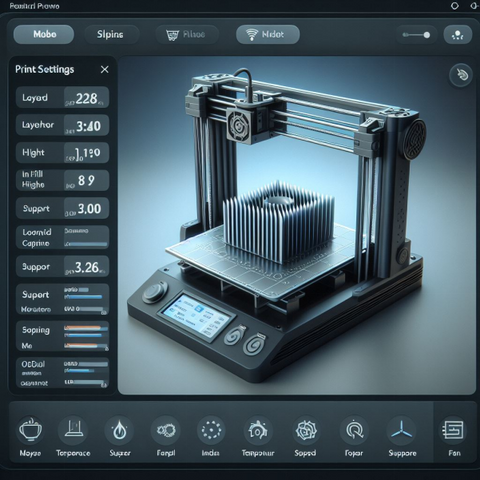
In 3D printing, achieving high-quality prints is the ultimate goal. However, many hobbyists and enthusiasts struggle to achieve the desired precision and level of detail. This is where the right slicer settings come into play. Slicer software is crucial for converting your 3D design into printer-readable code. With the correct slicer settings, you optimize your prints for the highest quality, ensuring smooth surfaces, precise dimensions, and high structural integrity.
The importance of slicer settings in 3D printing
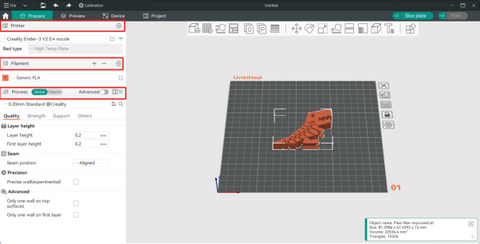
Slicer settings play a crucial role in the outcome of your 3D prints. The right settings can make the difference between a mediocre print and a masterpiece. With the correct settings, you can optimize various aspects of your print, including layer height, print speed, infill density, and cooling settings.
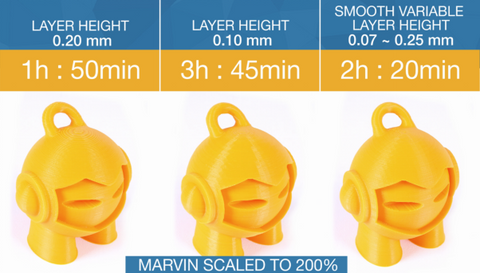
1. Layer height: This parameter determines the thickness of each printed layer. Lower layer heights result in finer details but increase print time. Finding the right balance between resolution and speed is crucial.
2. Print speed: The speed of the print head affects both print time and print quality. Lower speeds allow for more precise movements and thus higher print quality. Experiment with different speeds to find the optimal speed for your project.
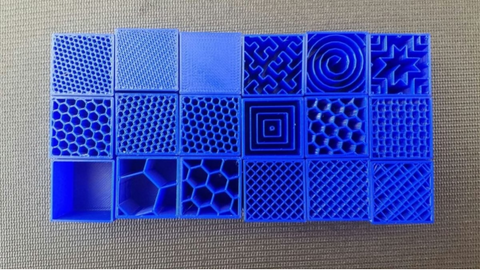
3. Infill density: Adjusting the infill percentage determines the strength and durability of your prints. Higher percentages provide more structure, while lower percentages save material and shorten print time. Consider the intended use of your print when choosing the infill density.
4. Cooling settings: Regulating the temperature during printing can prevent problems such as warping and stringing. Experiment with cooling settings to achieve cleaner and more precise prints.
Experimenting with temperature and speed settings
In addition to layer height, print speed, infill density, and cooling settings, you can further improve the quality of your 3D prints by experimenting with temperature and speed settings.
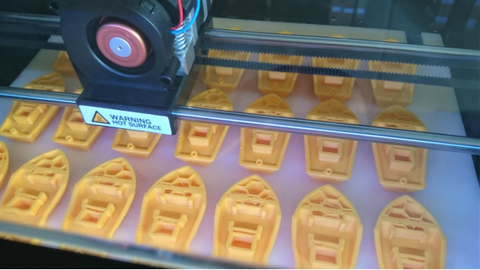
Temperature settings play a crucial role in optimal print quality and material adhesion. Adjusting the temperature depending on the filament type and brand can lead to improved layer adhesion and reduced warping. Be sure to follow the manufacturer's recommendations and perform test prints to find the ideal temperature for your specific filament.
Adjusting the print speed can also significantly affect print quality. Slower print speeds allow for more precise movements and better surface detail, especially with complex designs. However, higher print speeds may be suitable for large, simple prints where speed is more important than fine detail.
Optimizing support structures for complex prints
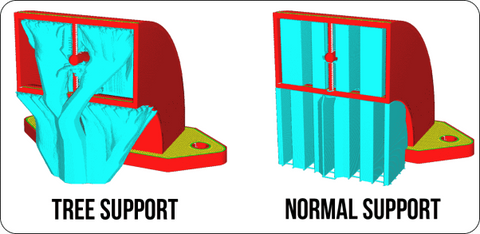
Support structures play a vital role in 3D printing, especially for objects with overhangs, bridges, or complex geometries. These structures are essential to prevent problems such as sagging, warping, and deformation during the printing process. While automatic support generation features in slicer software are convenient, they do not always create the most efficient or effective support structures.
One aspect of optimizing support structures is choosing between different support types, such as tree and normal supports. Tree supports are a more complex form of support structure that resemble branched structures, allowing for better material efficiency and easier post-processing. Normal supports, on the other hand, are more traditional and straightforward.
Tree supports;
Advantages:
Material efficiency: Tree supports use less material than traditional supports because they follow the contours of the overhang more precisely.
Easier removal: Due to their branching structure, tree supports are often easier to remove during post-processing.
Disadvantages:
Complexity: Creating tree supports can be more complex and may require fine-tuning to achieve optimal results.
Stability: In some cases, tree supports may not provide as much stability as traditional supports, especially for large or heavy overhangs.
Normal supports;
Advantages:
Simplicity: Normal supports are straightforward to create and generally easier for beginners to understand.
Stability: Traditional supports provide robust support for a wide range of geometries, especially for larger or heavier structures.
Disadvantages:
Material consumption: Normal supports may use more material than tree supports because they form a stable structure under the overhang.
To further optimize your support structures, consider adding supports manually only when necessary and adjusting the support density. This approach can lead to significant material savings, shorter print times, and easier post-processing. Experimenting with different support materials and density settings can also improve print quality and surface finish, ensuring a successful and efficient 3D printing process.
The impact of filament choice on print quality
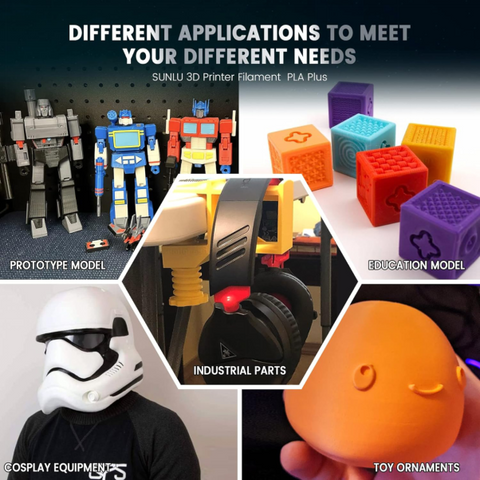
At Sunlu, we know how crucial the choice of filament is for outstanding 3D printing results. Our 3D printing filament is characterized by its consistent and reliable performance, ensuring a smooth printing process. Every Sunlu filament spool is precisely manufactured and subject to strict quality standards to guarantee users a premium and reliable printing experience.
When choosing the right filament, it is crucial to understand the unique characteristics of each filament type. PLA filament, for example, is valued for its ease of use, minimal tendency to warp, and a variety of vibrant color options. Its versatility makes it an ideal choice for beginners and projects with complex details, guaranteeing a smooth and trouble-free printing experience.
In contrast, ABS filament, known for its increased strength and durability, is suitable for applications where robustness is the priority. Although it requires a heated print bed and a well-ventilated environment due to potential fumes, its structural integrity is advantageous for certain printing requirements.
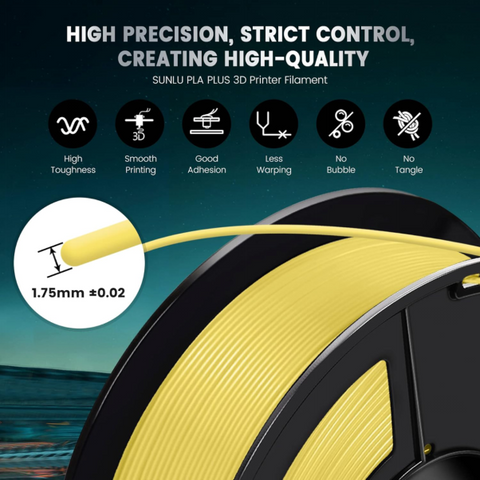
Discover another impressive option with Sunlu's PETG filament, which combines the best properties of PLA and ABS. Thanks to its improved strength, heat resistance, and chemical resistance, PETG proves to be a versatile choice for a wide range of applications. Furthermore, our range includes specialty filaments such as flexible or wood-infused options that meet specific requirements like flexibility or give your print objects a unique aesthetic.
The excellent printability and consistent quality of our filament contribute significantly to outstanding results, making it the preferred choice for both beginners and experienced 3D printers. Welcome to the world of reliable, high-performance printing with Sunlu 3D printing filament.
Calibrating filament
Filament calibration is a crucial step in optimizing the print quality of your 3D prints. Correct filament calibration ensures that the printer extrudes the right amount of material, leading to precise dimensions and consistent layer adhesion.
To calibrate your filament, first measure its diameter with a caliper. This allows you to enter the correct filament diameter into your slicer settings, thus accurately calculating the filament flow.
Next, perform a temperature calibration test. In this test, you print a small calibration object at different temperature settings to determine the ideal temperature for your specific filament. Adjusting the temperature can significantly impact print quality, so finding the optimal temperature is critical.
Additionally, calibrating the extrusion multiplier or flow rate is essential. This calibration test measures the actual amount of filament extruded compared to the expected amount. By adjusting the flow rate, you ensure that consistent amounts of filament are applied and that precise prints are created.
Conclusion
By correctly calibrating your filament and fine-tuning your slicer settings, you will achieve excellent print quality in your 3D prints. Filament calibration ensures precise dimensions and consistent layer adhesion, while temperature calibration helps to determine the optimal temperature for your specific filament. Adjusting the extrusion multiplier or flow rate ensures consistent filament deposition, resulting in precise prints.
However, these calibration steps alone are not enough to achieve the best print quality. Slicer settings also play a crucial role. In the next section, you will learn how to optimize your slicer settings to improve your print quality.
FAQ Section
What is layer height and how does it affect print quality?
Layer height refers to the vertical thickness of each layer in your 3D print. The chosen layer height affects the level of detail and surface quality of your print. A lower layer height results in finer details but longer print times, while a higher layer height is faster but may lose detail. Experiment with different layer heights to find the optimal print quality for your print.
How does print speed affect print quality?
Print speed determines how fast the printer moves and deposits filament. Higher speeds can lead to reduced print quality, as the printer may have difficulty placing the filament precisely at higher speeds. Lower speeds generally lead to higher-quality prints, as the printer has more time to deposit the filament precisely and control cooling times.
What is infill density and why is it important?
Infill density refers to the amount of material that fills the inside of your print. A higher infill density means more material and higher strength, but also longer print times and higher material consumption. Lower infill densities result in lighter and faster prints but can affect strength. Choose the appropriate infill density based on the desired strength and weight of your print.
Are there any other important slicer settings?
Yes, there are various slicer settings that can affect print quality, such as support structures, print cooling, and print orientation. Support structures provide additional support for overhangs and bridges but can affect surface finish. Proper fan cooling settings can improve print quality and reduce warping. Print orientation can also affect the quality of printed details and overhangs.
——————————————————


