
3D printing has shed its futuristic facade and become a reality for hobbyists, makers, and entrepreneurs alike. Yet, given the vast variety of printers, choosing the right one can feel like a labyrinth of filaments. Fear not, intrepid printing pioneers and curious newcomers! This guide provides the necessary knowledge to conquer the exciting world of 3D printing and find the perfect printer for your needs and budget.
Budget Explorers: Creativity under €200
Think 3D printing requires a lot of money? Think again! These fantastic options prove otherwise:
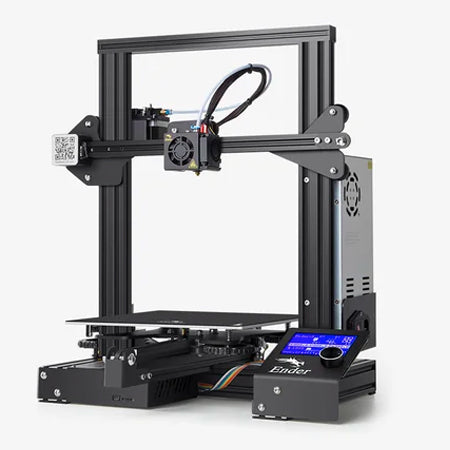
Creality Ender 3: The Creality Ender 3 stands for affordability, reliability, and ease of use, making it an excellent choice for those just starting in the world of 3D printing. Assembly and operation are straightforward, allowing new users to get started with their printing projects quickly and without much of a learning curve. The Ender 3 is upgradeable, allowing users to tailor its features to their skills and needs. The versatile device handles various filament types, offering flexibility in project selection.
Key features:
- Affordable price
- Reliable printing performance
- User-friendly design
- Upgradeable for advanced functionality
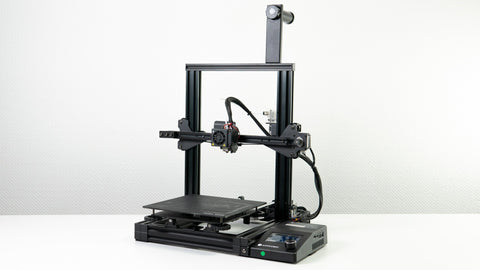
Anycubic Mega Zero: The Anycubic Mega Zero is known for its quiet operation, making it ideal for any workspace, including at home or in the office.
It features a generous print volume, enabling larger creations that many printers in its price range cannot handle. The design of this printer is focused on simplicity, ensuring ease of use for beginners and experienced users alike. The Mega Zero supports various filaments, offering users the flexibility to experiment with different materials for their projects. Its build quality and efficient design make it an excellent value for money for anyone wanting to try large-scale printing without breaking their budget.
Key features:
- Quiet operation
- Generous print volume
- Simple operation
- Supports various filaments
Both the Creality Ender 3 and the Anycubic Mega Zero cater to users looking for an affordable entry into 3D printing. Each model offers unique features like ease of use and quiet operation. These printers are well-suited for hobbyists, educators, and anyone looking to get into 3D printing with machines that offer room for growth.
Leveling Up: For $200–$500
As your ambitions grow, you should consider printers with more features.
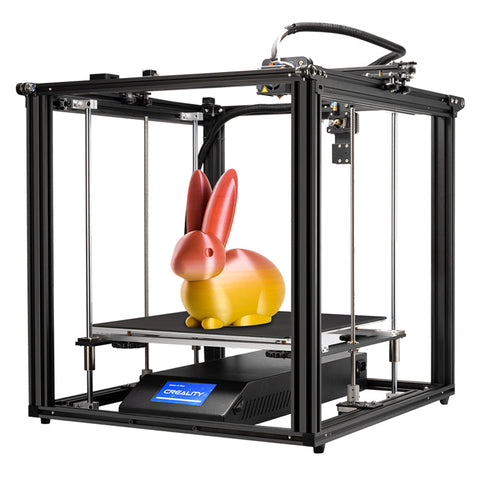
Creality Ender 5 Plus: The Creality Ender 5 Plus offers a generous build area and is ideal for anyone needing more space for their projects. It is equipped with a dual-gear extruder that ensures a smooth printing process through consistent filament feeding. This printer is designed for stability, reliability, and print quality. It is user-friendly and features a touchscreen that simplifies control. The Ender 5 Plus is ideal for hobbyists and makers and the perfect choice for creating larger prototypes and complex projects without compromising on quality.
Key features:
- Larger build area
- Dual-gear extruder
- Printing stability
- Touchscreen for easy control
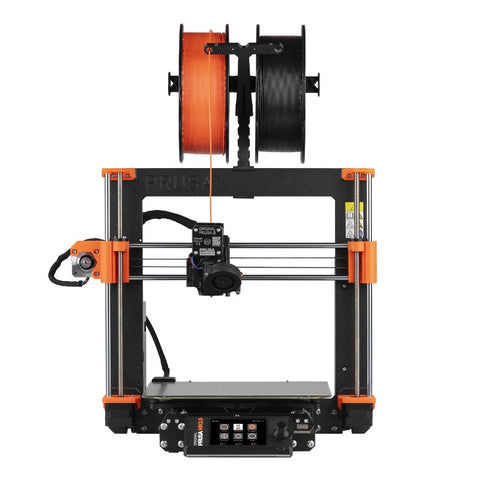
Prusa MK3S: The Prusa MK3S is a community favorite known for its exceptional print quality and user-friendliness. It delivers high-resolution prints with fine details, making it a top choice for enthusiasts and professionals alike. The printer’s reliability is underscored by its consistent performance even during long print jobs. Assembly and operation are intuitive and supported by an active community for troubleshooting and exchanging tips. The MK3S's versatility in handling a wide range of filaments makes it an adaptable tool for a multitude of projects.
Key features:
- Exceptional print quality
- High reliability
- User-friendliness
- Supports a wide range of filaments.
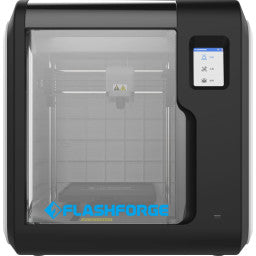
Flashforge Adventurer 3: The Flashforge Adventurer 3 stands out due to its compact, enclosed design, making it an ideal choice for printing with ABS filament. This feature increases the strength and durability of prints, making it suitable for creating functional parts and prototypes. The printer is particularly user-friendly and offers features such as a quick-change nozzle and an integrated camera for print monitoring. It operates extremely quietly, making it well-suited for classrooms or offices. The versatility of the Adventurer 3 goes beyond ABS and covers other filament types as well. It is attractive to beginners, educators, and anyone looking for a reliable, easy-to-use printer for durable prints.
Key features:
- Enclosed chamber for ABS printing
- Quick-change nozzle and integrated camera
- Low noise levels
- Versatile filament compatibility
Pro Printing Paradise: Where Dreams Take Shape (from $500)
For those looking for the best of the best, high-end printers offer cutting-edge features:
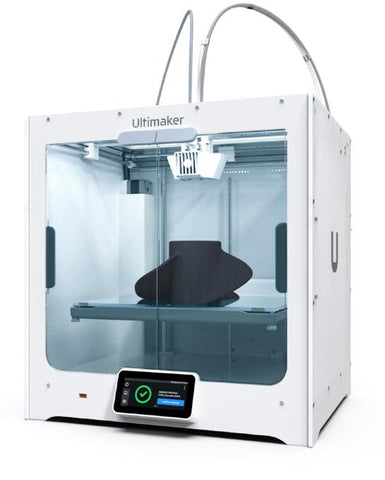
Ultimaker S5: The Ultimaker S5 is a high-performance, industrial-grade 3D printing system designed specifically for professionals who value reliability, precision, and versatility in their printing projects. It excels at high-precision prints, making it perfect for demanding tasks where detail matters. Thanks to its robust build volume, the S5 also handles large-format prints, while its dual-extrusion system allows for the use of multiple materials and colors in a single print. Enhanced print bed leveling optimizes the printing process, ensuring consistent results for all projects. The intuitive touchscreen interface simplifies user guidance and makes it more accessible. The S5's compatibility with a wide range of materials – from common filaments like PLA and ABS to advanced composite materials – expands its range of applications to include prototyping, manufacturing aids, and even end-use parts.
Key features:
- Reliability and precision
- Robust build volume
- Dual extrusion
- Enhanced print bed leveling
- Intuitive touchscreen interface
- Material compatibility
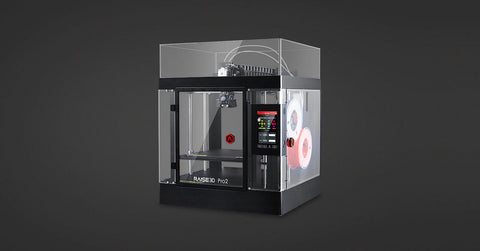
Raise3D Pro2 Plus: Developed for the diverse requirements of professionals. Its large build volume allows for large models or batch printing, making it a flexible tool for various projects. The dual extruders allow for the creation of complex models with support structures or in multiple colors. The high-resolution printing capability ensures detailed and smooth print results. The fully enclosed build chamber ensures a stable temperature, reduces warping, and allows the use of temperature-sensitive materials. Additional features like a filament run-out sensor, a touchscreen, and Wi-Fi increase comfort and efficiency, making the Pro2 Plus a comprehensive solution for everyone, from creating industrial prototypes to complex designs.
Key features:
- Large build volume
- Dual extruders
- High-resolution printing
- Fully enclosed build chamber
- Filament run-out sensor, touchscreen, Wi-Fi

Markforged Mark Two: The Markforged Mark Two stands out due to its use of industrial-grade materials, allowing for prints with unparalleled strength and durability. This makes it an indispensable tool for industries requiring high-performance parts. This printer processes continuous carbon fiber, Kevlar, and fiberglass, producing parts that can compete with metal in strength while being significantly lighter. Its precision printing ensures accurate and reliable results, which are crucial for functional prototypes and end-use parts. The Mark Two is designed for ease of use and offers user-friendly software and cloud-based management to optimize the production process. It is the ideal choice for the manufacturing, automotive, and aerospace industries that require the strength, precision, and versatility of this printer.
Key features:
- Industrial-grade materials
- Unparalleled strength and durability
- Precision printing
- User-friendly software and cloud-based management
Bambu Lab: Printing Innovation at the Center (from $500)
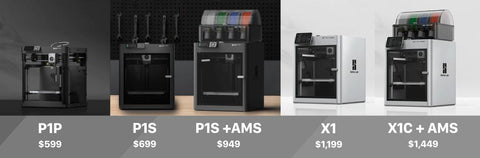
Following the success of the budget-friendly P1P model, Bambu Lab's P1S presents itself as an outstanding value for money.
This printer offers a generous, enclosed build volume (256 x 256 x 256 mm), fast printing capabilities, an additional fan for improved speed stability, an air purification system, and seamless integration with the AMS multi-color material station – all at a price of $699.
It is a versatile choice for a variety of printing projects. Beginners will find the P1S user-friendly and will achieve impressive results with minimal effort and knowledge. Experienced enthusiasts will appreciate its reliability in consistently producing high-quality prints without much fuss.
Furthermore, Bambu Lab has improved its software environment, now allowing direct printing via the mobile app without a computer. This improvement represents maximum convenience and positions the P1S as a decisive step toward integrating 3D printing technology into everyday household use. P1S: Enclosed marvel with high-speed printing, automatic bed leveling, and filament run-out sensor – ideal for newcomers.
- A1: Compact version of the P1S with similar features for space-saving creatives.
- Bambu Lab AMS (Automatic Material System): Integrates seamlessly into the P1S and A1, allowing you to combine multiple colors effortlessly.
More Than Just Price: Your Path to Printing
Remember that price is only one factor. Here are some key considerations:
- Print size: Match the printer's print volume to your project goals.
- Filament compatibility: Ensure that your chosen printer supports the materials you want to work with.
- Ease of use: Choose a user-friendly interface that meets your needs.
- Community support: A supportive community can be invaluable for troubleshooting and knowledge sharing.
With this knowledge, you are well-equipped to navigate the diverse world of 3D printers and find the perfect printer for your skills and goals. Remember: the most important ingredient is your passion for creativity. So, grab your filament, start your printer, and unleash your printing potential! May your journey be full of endless possibilities, innovative experiments, and the joy of bringing your imagination to life, layer by layer.
FAQ Section
Question 1: What makes the Creality Ender 3 an ideal choice for 3D printing beginners?
Answer: The Creality Ender 3 is prized for its affordable price, reliability, and user-friendly design, making it an ideal entry point for beginners. Thanks to straightforward assembly and operation, new users can quickly get started with projects. Additionally, it is upgradeable, adapting to evolving skills and needs.
Question 2: How does the Anycubic Mega Zero stand out in the budget printer market?
Answer: The Anycubic Mega Zero stands out due to its quiet operation and generous print volume, enabling even larger projects without noise disturbance. It is designed to be user-friendly and supports various filaments. This makes it particularly interesting for anyone looking into large-format printing.
Question 3: What are the benefits of upgrading to a printer like the Creality Ender 5 Plus or the Prusa MK3S?
A: The Creality Ender 5 Plus offers a large build area and a dual extruder for smoother printing, making it suitable for projects requiring more space. The Prusa MK3S is known for its exceptional print quality and ease of use and is supported by an active community. Therefore, it is suitable for both enthusiasts and professionals.
Question 4: How do the Ultimaker S5, Raise3D Pro2 Plus, and Bambu Lab printers stand out in the high-end printer market?
A: The Ultimaker S5 offers precision and reliability for professional projects thanks to its robust build volume and material compatibility. The Raise3D Pro2 Plus impresses with its large build volume and dual extruders and is suitable for complex, high-quality prints. Bambu Lab printers are known for their high print speeds and advanced features like air filtration and multi-material compatibility, catering to users seeking efficiency and versatility in high-end 3D printing.
——————————————————


