
In the dynamic field of digital manufacturing, Autodesk Fusion (formerly Fusion 360) is an impressive force that enables enthusiasts and professionals alike to bring their creative visions to life.
This cloud-based CAD software is versatile and affordable, and it integrates seamlessly into the exciting world of 3D printing. With its user-friendly interface and robust set of features, Fusion is the ideal choice for anyone looking to explore the limitless possibilities of 3D printing.
Unveiling the Magic of Fusion
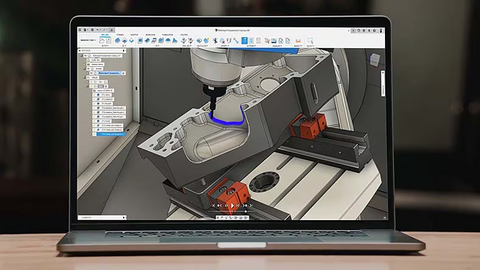
Cloud-based Convenience
Autodesk Fusion offers a unique blend of features that support both traditional and digital manufacturing methods. One of the main advantages lies in its cloud-based nature, which allows users to access their designs and use the tools from anywhere at any time.
Feature-rich and Affordable
Fusion boasts a multitude of features, including rendering, simulation, and generative design. With these capabilities, users can create intricate and functional designs, taking their ideas from concept to reality. Autodesk offers a range of license packages tailored to different users, ensuring that everyone can access the power of Fusion.
Explore the Workspaces of Fusion
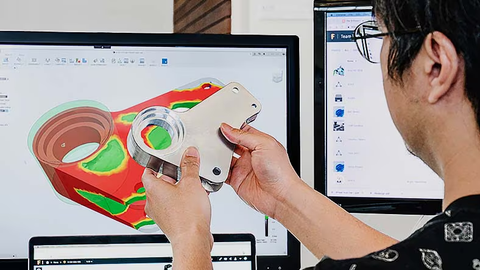
Fusion provides a clear interface with seven distinct workspaces, each tailored to specific tasks:
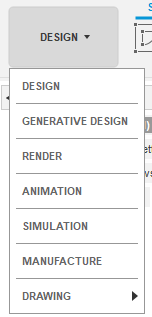
Design: The heart of the software where users create 3D models, offering a wide range of modeling tools.
Generative Design: This is an innovative computer-aided design process where the software uses artificial intelligence to generate multiple optimized design solutions based on specific input criteria.
Render: Brings designs to life with photorealistic representations and rendering capabilities. Here, the user can add various materials such as fabric, spray, paint, etc. One can also add different environments and lighting effects to create highly detailed renders.
Animation: Adds movement and dynamism to your creations, making the designs come alive.
Simulation: Enables stress testing and analysis to ensure functional and durable products.
Manufacture: Assists in preparing designs for various manufacturing processes, including 3D printing.
Additional workspaces: "Drawing" for 2D documentation and "Patch" for surface modeling expand the software's versatility.
Fusion and 3D Printing, a match made in heaven
Streamlined Workflow
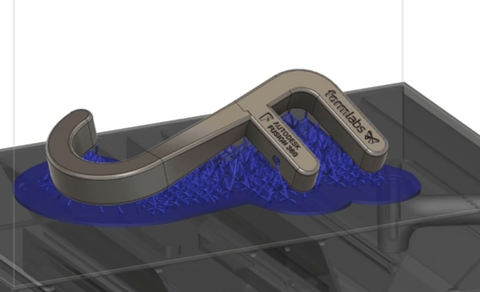
The software's new graphical user interface simplifies the 3D printing process, offering automatic generation of support structures and efficient file management. Users can visualize their designs within the build volume of Formlabs printers, ensuring an optimal printing result.
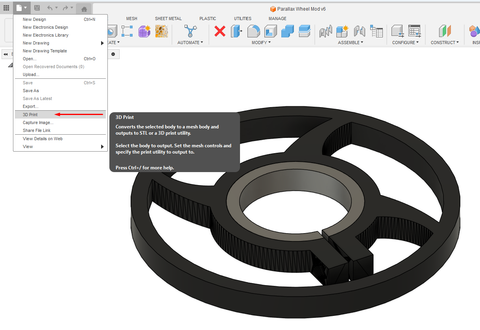
Even if you don't wish to use the Formlabs functionality, you can use the 3D print option integrated into Fusion to optimize the final design and send it to your 3D printer!
Fusion Pricing Structure
There are several licensing options available for Autodesk Fusion, ensuring access for a wide range of users. Here is an overview of the different packages offered:
30-day Free Trial
Start your journey with a comprehensive 30-day trial that grants you access to all features, from basic modeling to advanced extensions. This allows you to try Fusion for free before committing.
Commercial Subscription
The commercial license is intended for companies and professionals and provides access to the entire suite of professional tools. For subscription plans, you pay approximately 495 USD per year for a single-seat license. This gives you access to the latest updates and features, ensuring your designs are always up to date.
Startup License
Autodesk supports early-stage startups with a free license for companies that are less than three years old and have an annual gross revenue of less than 100,000 USD. This license allows access to most features, making it a cost-effective way to start your business without software costs.
Personal License
The limited Personal Edition of Fusion is ideal for hobbyists and non-commercial users. While it includes all features for design, modeling, and 3D printing, it offers limited access to extensions. The personal license is free, making it perfect for personal projects and creative exploration.
Educational License
Students, teachers, and mentors can benefit from the educational license, which offers a fully functional version with minimal restrictions.
This license is also free and promotes learning and skill development. With access to most extensions, it is an excellent way to enhance educational projects and acquire industry-relevant skills.
From Concept to Physical Object
One of the best things about 3D printing is the ability to imagine a concept, design it, and print it in 3D. This is exactly where Fusion can be a great help.
Below are some examples of designs that were created with Fusion and 3D printed.
Lighting
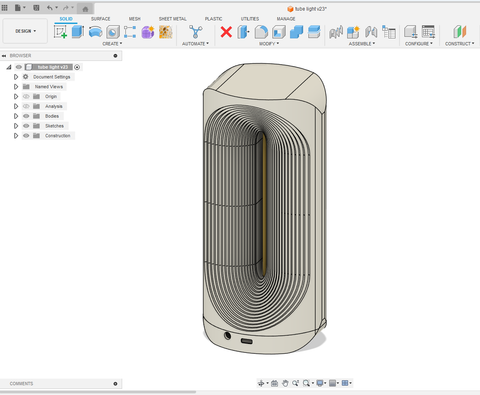
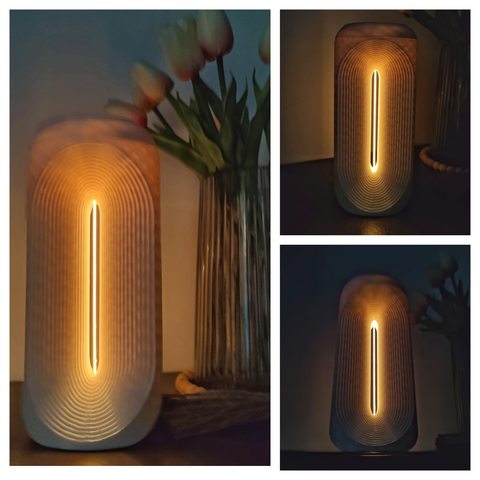
This design was created in about 6 hours. It is a portable light powered by a battery housed within the design's casing itself.
The process would involve first sketching the design in Fusion's "Sketch" environment and then using a few commands like "Extrude" to create new bodies, and filleting this body with a slight curve.
Repairing Objects
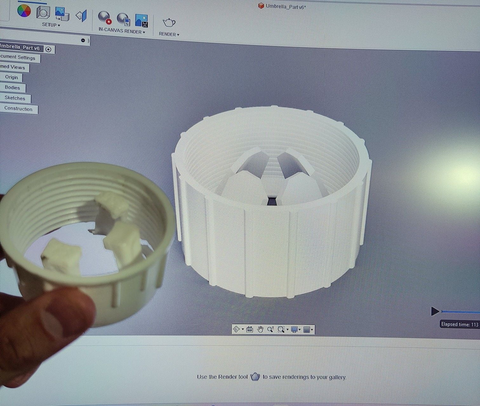
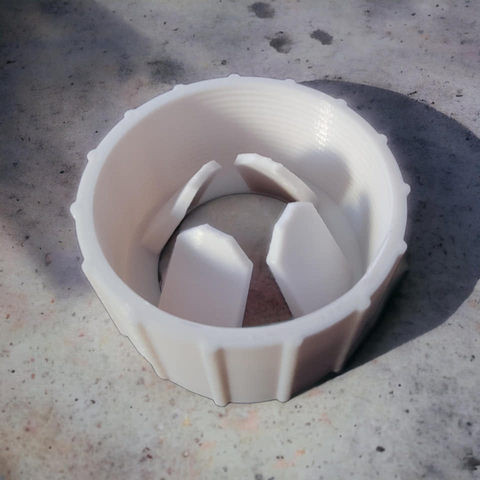
Fusion is also very useful if you have something that needs repairing, or if you want to create a replica for a replacement part. In the image above, a replica of a thread holding an umbrella was created in Fusion and 3D printed with Sunlu PETG, the perfect material for a smooth and super-strong part.
Decoration
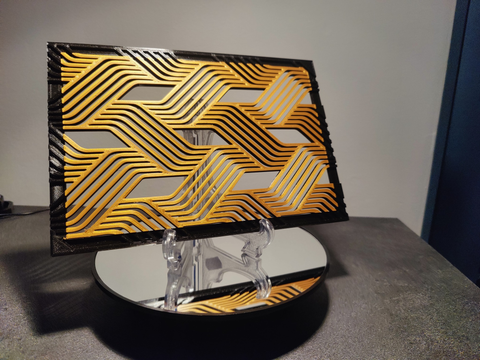
Fusion can also be used to create spectacular decorations! As seen in the following example, a simple wall fan was created in less than 1 hour and 3D printed with Sunlu Black and Gold PLA.
Wrapping Up
Autodesk Fusion is the superhero of digital fabrication software! This cloud-based computer-aided design (CAD) marvel offers a seamless blend of functionality and fun, allowing creatives to bring their wildest ideas to life in the exciting world of 3D printing.
With its user-friendly interface, Fusion is like a magic wand that simplifies the complex, allowing you to create intricate 3D models with ease. The versatility of the software is evident in its seven different workspaces, each tailored to specific tasks, from design to animation and simulation, and ultimately to manufacturing.
And the best part? Fusion is accessible to everyone, with licensing options for hobbyists, students, startups, and professionals. It's like a creative buffet that has something for every appetite. And with its streamlined workflow, it ensures your journey from concept to physical object goes smoothly.
So, if you are ready to unleash your creativity and turn your ideas into reality, Autodesk Fusion is your dream weaver, making the complex simple and the imaginative tangible. It’s time to fuse your world with the magic of 3D!
