
The use of 3D printing technology has revolutionized the manufacturing industry, enabling faster prototyping and more customized production.
Setting up a 3D printing farm can further maximize efficiency and output, especially when high-quality materials like SUNLU PLA filaments are used. In this ultimate guide, we delve into the best practices for operating a successful 3D printing farm, including tips on equipment maintenance, workflow optimization, and quality control.
Streamlining your processes for maximum efficiency
To achieve maximum efficiency in your 3D printing shop, it is important to optimize your processes. Implementing a systematic workflow, scheduling regular maintenance, and fine-tuning print settings are key factors in maximizing output.
Use software tools to automate repetitive tasks and monitor production progress in real time. Furthermore, implementing quality control measures and conducting regular calibration tests ensure consistent and precise prints. By fine-tuning your processes and continuously improving, you can increase the productivity and overall performance of your 3D printing operation.
Investing in the right equipment and software
Selecting the right 3D printers and software is crucial for increasing the efficiency of your print shop. Pay attention to the size and capabilities of the printers to meet your production needs. Opt for reliable and durable equipment to minimize downtime and maintenance costs. Invest in advanced slicing software to optimize print speed and quality.
Printers: Power, speed, and reliability
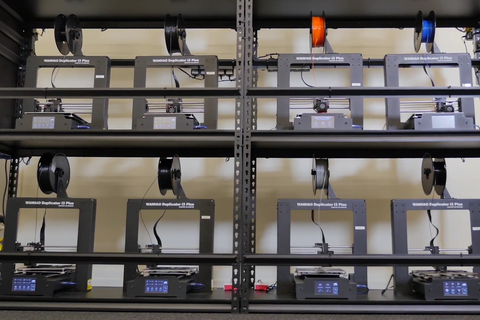
Determine your production needs: Consider factors such as print volume, material compatibility, and desired part size.
Prioritize reliability and durability: Minimize downtime and maintenance costs with robust printers. Look for established brands known for quality and support. For example, Bambu Lab 3D printers are known for their speed and accuracy, making them ideal for mass production.
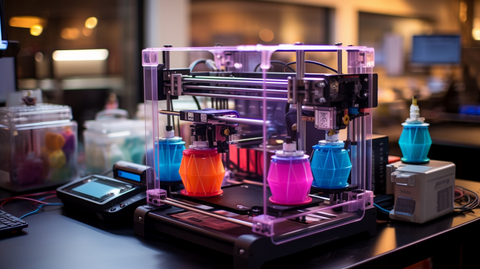
Explore advanced features: Features such as multi-material printing, automatic bed leveling, and enclosed build chambers can significantly increase efficiency.
Implementing a comprehensive maintenance schedule
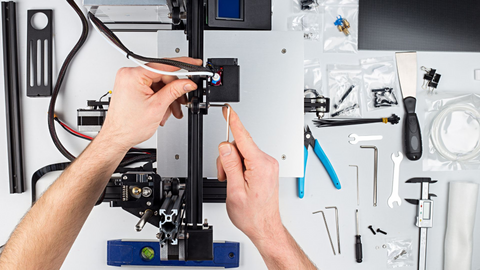
Like a well-oiled machine, a 3D printing operation thrives on preventive maintenance. Here is why a proactive approach is important to keep your printers running smoothly and your production on track:
Regular inspections and cleanings allow minor issues to be detected before they escalate into major disruptions.
Extend the life of your printers: Like any other machine, 3D printers have a limited lifespan. By regularly cleaning and lubricating components, you minimize wear and tear and thus extend the overall life of your investment. Imagine being able to use your high-quality Bambu Lab printer for a year or two longer—that is significant savings in the long run!
Maintaining optimal performance: Over time, 3D printers can fall out of calibration, leading to inconsistent print quality and potential defects. Regular calibrations ensure that your printers operate with the highest precision, delivering consistent, high-quality results for every project. This also includes regularly updating the firmware of your devices.
Schedule is key
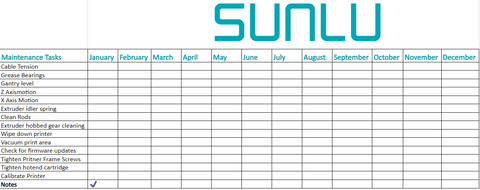
Develop a regular maintenance schedule tailored to the specific needs of your printers and the materials you use. Weekly or monthly cleaning, regular inspections, and monthly calibrations could be a good starting point.
You can use our 3D printer maintenance sheet to keep track of the tasks performed!
Detailed records: Keep a log of the maintenance work performed, including the date, the issues identified, and the actions taken. These records help identify recurring problems and allow you to adjust your maintenance schedule accordingly.
Addressing issues promptly: Do not ignore minor malfunctions or imperfections in your prints. If you address these issues immediately, you can prevent them from growing into larger problems.
By implementing a proactive maintenance plan, you transform your 3D printing shop from a reactive operation into a well-oiled, efficient machine that ensures consistent performance, high-quality output, and a maximum return on your investment.
Using batch processing and automation
Imagine you have 100 identical figures to print. Normally, you would print them one by one, leading to significant idle time between print jobs. With batch processing, similar print jobs are grouped together so that you can print them simultaneously on multiple printers. This drastically reduces the total production time.
The magic of automatic ejection and restart
Now it gets exciting: many shops use automatic ejection and print restart to further optimize batch processing, especially for repetitive tasks.
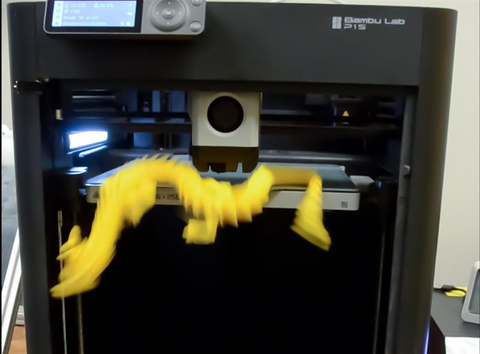
Imagine the following scenario: you need to print those 100 figures. With automation, you can designate a specific group of printers within your farm for this job. Once a print job is completed, a custom G-code script (we will discuss this script in detail later) is activated that automatically ejects the finished figures from the print bed. The script then initiates a new print cycle on the same machine, repeating this process until all 100 figures are completed.
Benefits galore:
Lower labor costs: Automated processes minimize the need for manual intervention, freeing your staff for other tasks.
Faster production times: Batch processing and automation significantly accelerate production compared to traditional single-run printing.
Consistency and scalability: Automated processes ensure consistent quality and allow you to easily scale production up or down depending on demand.
Unveil the secret of G-code:
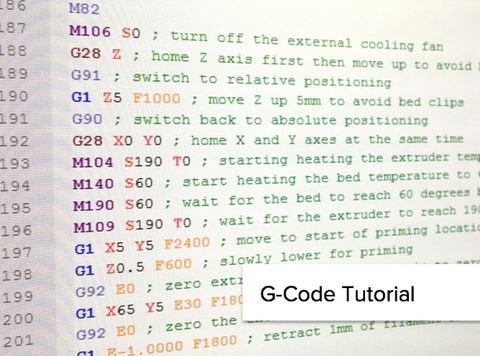
We mentioned a custom G-code script for automatic ejection and restart. G-code is the language used to control 3D printers. By modifying this script (a process we will explore in later sections), you can program specific actions, such as raising the print bed, cooling down, and using the print head itself to gently push the finished parts off the bed. This eliminates the need for manual removal and streamlines the entire process.
This is the end of my G-code for the end of the machine.
G90 ; absolute positioning
G1 X128 Y250 F3600 ; park
======== Eject parts
G0 X128 Y256 ; move to the back center of the bed
G0 Z1 ; raise bed until nozzle is almost touching
M106 P2 S255 ; turn on auxiliary fan to cool the bed quickly
M190 30 ; wait for bed to get cold
G04 S300 ; give the part time to detach to make it easier to push
M106 P2 S0 ; turn off auxiliary fan
G0 Y0 F1000 ; push part off the bed
==== End ejection
M220 S100 ; reset feedrate
M201.2 K1.0 ; reset feedrate
M73.2 R1.0 ; reset time remaining
M1002 set_gcode_claim_speed_level : 0
M17 X0.8 Y0.8 Z0.5 ; lower motor current to 45% power
Efficiency is the cornerstone of a successful 3D printing operation. By leveraging technological advancements, staying informed about industry trends, and fostering innovation within your team, you can streamline processes and maximize productivity. Batch processing and automation techniques can turn your 3D printing shop into a highly efficient production powerhouse.
Continuous improvements and a culture of innovation help you remain competitive and secure long-term success in the ever-evolving world of 3D printing. Constantly implement new strategies, seek feedback, and refine your workflows to achieve optimal efficiency and stay one step ahead.
